Live Weather Radar Launcher
AtomApplicationsWeather
4.26.16K Reviews
- Version
- 3.19.2
- Installs
- 1.00M
- Age Rating
- Everyone
Screenshots
Our Review of Live Weather Radar Launcher
 Analysis by Appyee
I find Live Weather Radar Launcher most useful when I want a quick read on the sky without opening several screens. It brings weather information and a radar view into a launcher-style experience, so the forecast is closer to the part of my phone I already use. That convenience is the main reason I would try it; the more important question is whether that home-screen-first approach fits the way you check weather.
What the current version is designed to do
This is a free weather app from AtomApplications, currently at version 3.9.0. It has an average rating of 4.3 from around 14,000 ratings, with over a million installs. Those figures suggest that plenty of people have made it part of their routine, but they do not tell me whether its launcher style will suit every phone or every weather habit. The age rating is Everyone, and the app was released on November 2, 2023.
The central idea is straightforward: keep local conditions and weather maps within easy reach. That makes it a different proposition from a conventional forecast app that opens to a list of temperatures and daily summaries. I see the appeal for anyone who checks the sky several times before leaving home, especially when rain or changing temperatures could affect a walk, a commute, or an outdoor plan.
How I would fit it into a daily routine
The launcher approach is most valuable when it saves a step at the moment you need a decision. On a busy morning, I might glance at the home screen, then open the radar only if the forecast looks uncertain. That is a more practical workflow than opening a full weather app every time I wonder whether to bring a coat. For a short trip, I would check both the current conditions and the map rather than relying on a single temperature number.
A useful habit is to treat the radar as a planning aid, not a promise about the exact weather at your front door. Maps help you see the broader movement of precipitation, while local forecasts are better for a quick summary. If the picture looks unsettled, I would build in a little flexibility rather than assume a brief clear patch will last through an entire journey.
Where it sits among weather apps
Compared with the typical weather app, this one puts more emphasis on access and visual context. A standard forecast app may be a better fit if you prefer a simple list of daily highs and lows, or if you want a familiar layout that keeps the launcher unchanged. A dedicated radar tool may suit someone who spends a lot of time interpreting maps and wants that to be the main activity. This app’s strongest case is for people who want a blend: a quick home-screen check, with a map close by when conditions need a closer look.
That convenience comes with a trade-off. A launcher is part of the phone’s everyday interface, so changing how the home screen feels can matter more than adding another ordinary app. If you like your existing layout and do not want weather information built into it, the central design choice may feel like extra friction rather than a benefit. I would choose it for access, not because a launcher is automatically better than a conventional forecast screen.
Getting Started with Live Weather Radar Launcher
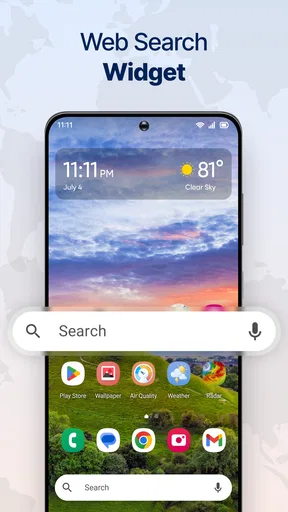
First things first, installing the Live Weather Radar Launcher was smooth sailing. It didn’t take up much space on my phone, which is always a plus. Once installed, the app gives your home screen a whole new look, integrating live weather updates directly onto it. No more toggling between apps just to know if you should grab an umbrella!
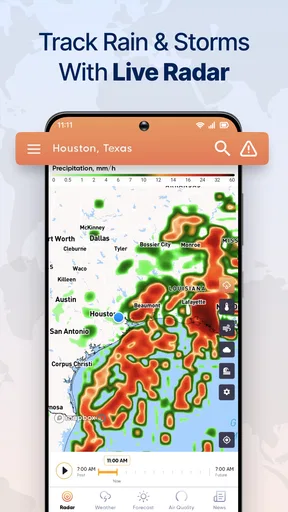
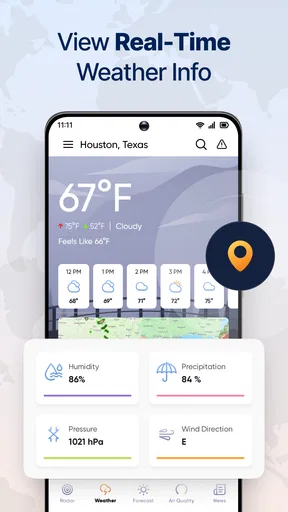
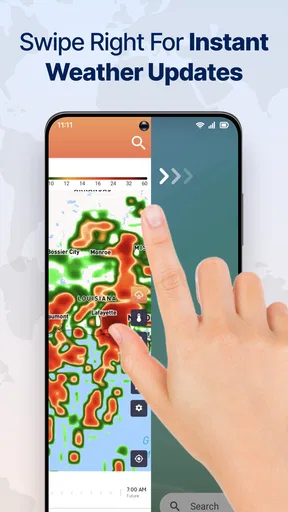
The interface is clean and intuitive. Right away, I could see the current weather conditions, and a quick swipe gave me access to a full radar map. The radar is pretty detailed, and I could zoom in to check local conditions or zoom out for a broader view. I particularly liked that it updated in real-time, so I was never left guessing what was happening outside.
Diving Deeper into the Features
One of the standout features is the customizable widgets. I could choose from different styles to match my phone’s theme, which was a nice touch. Plus, having the weather right on my home screen saved me the hassle of opening apps every time I was curious.
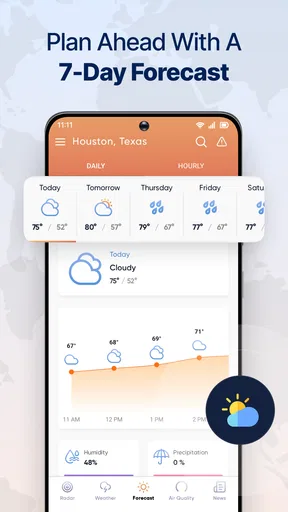
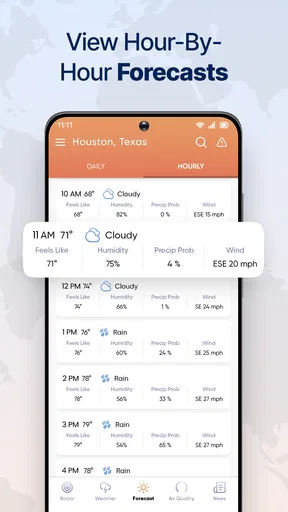
Another neat feature is the hourly weather updates. The app offers a detailed breakdown of temperature, wind speed, and precipitation chances throughout the day. It even provides a 7-day forecast, which is super handy for planning weekend activities.
But it’s not all about what’s happening above; the app also keeps you informed about sunrise and sunset times. And for those who like to dig into the numbers, there are charts for humidity and pressure trends. It’s like having a weather station in your pocket.
Making the radar and forecast work together
For an everyday decision, I would use the different views for different jobs. The forecast gives me a quick sense of how the day is shaping up, while the map helps when I need to judge whether rain is close enough to affect a specific outing. For example, if I am deciding whether to walk to a nearby appointment, I would check the radar before leaving and then glance at the hourly outlook for the time I expect to be outside. That is more useful than treating either screen as the whole answer.
One non-obvious trade-off is that a visually detailed map can invite overconfidence. Zooming in makes an area easier to inspect, but it does not turn a broad weather picture into a guarantee for one street or one exact minute. I would use the map to compare options—leave now, wait a little, or take a rain layer—rather than to make a rigid plan. For travel that depends on precise conditions, I would cross-check with a trusted local source instead of letting one display make the decision for me.
The widgets also reward a little thought about placement. I would put the view I check most often where it is easy to see, rather than filling the home screen with every available detail. A compact glance is useful for routine checks; the fuller forecast and radar can stay one tap away for planning. That keeps the launcher’s weather role helpful instead of making the screen feel crowded.
User Experience and Performance
In terms of performance, the app runs smoothly without any noticeable lag, which is crucial for something you might depend on daily. It didn’t drain my battery excessively either, so my phone was still going strong by the end of the day.
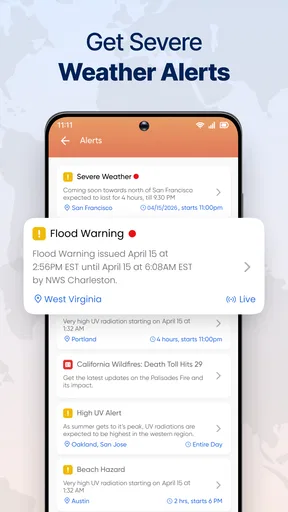
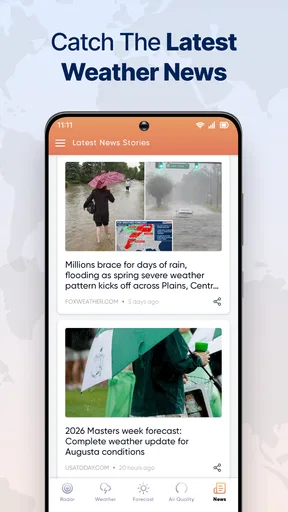
I also appreciated the notifications feature. The app sent timely alerts about severe weather warnings, keeping me in the loop without being intrusive.
Who will benefit, and who may prefer another option
I can see this working well for people who want weather close at hand, regularly check rain before heading out, or like scanning a map instead of reading only a forecast summary. It is especially practical for a household routine in which plans change through the day: check before the school run, look again before an evening walk, and use the hourly outlook to decide when an outdoor errand is least inconvenient.
It may be less appealing if you rarely check weather, prefer a plain forecast, or do not want to alter the feel of your home screen. People who need highly specialized weather analysis may also want a dedicated service built around that particular task. I would not install a launcher-based weather app just to get a single daily high temperature; its value depends on actually using the map and the convenient access often enough to justify its place on the phone.
There is also a practical question about alerts: they are useful when a warning could change your plans, but too many notifications can become background noise. I would keep only the notices that help me act, and avoid treating an alert as a substitute for checking conditions when an important outdoor decision is approaching. The right balance depends on how often you want the app to interrupt you, not just on how much weather information it can show.
When deciding whether to keep it, I would give the home-screen arrangement a few ordinary days rather than judging it from the first launch. Notice whether you actually look at the widget, whether the map helps with a real choice, and whether the launcher still feels comfortable for the rest of your phone use. If those checks become habitual, the app is earning its space; if you keep opening another weather app instead, the extra layer is probably not for you.
For existing users, version 3.9.0 is the current point of reference, but I would not infer a specific feature history from the version number alone. What matters in everyday use is whether the current combination of launcher access, radar, and forecast suits your routine. If you already rely on it, the sensible test is simple: keep using the views that help you make decisions and ignore any that do not. If you are new, start with the home-screen glance and add the map to your routine only when a forecast leaves you unsure.
What I would watch over time is whether the app continues to make its main advantage—fast access to local weather—feel worthwhile without making the phone harder to use. I would also pay attention to how well the map and forecast answer the practical questions I have, rather than expecting any weather display to remove uncertainty. Those are the measures that matter more to me than a long feature list.
Overall, using Live Weather Radar Launcher felt like having a reliable companion that’s always ready with the latest weather insights. Whether you're planning a hike or just want to know if you can leave the house without a jacket, this app has got you covered.
Final Thoughts
All in all, the Live Weather Radar Launcher is a solid choice for anyone looking to stay updated on the weather with minimal fuss. It combines functionality with a sleek design, making it a great addition to any smartphone. If you're someone who likes being prepared for whatever Mother Nature throws your way, give this app a try. It might just become one of your go-to tools.
My recommendation is to try it if radar and at-a-glance access would genuinely change how you plan your day. If you mainly want a conventional forecast and would rather leave your home screen as it is, a standard weather app is likely the simpler choice. For me, the deciding factor is not whether it offers more information, but whether it puts the information I actually check in the right place.
Privacy and Permissions
See what permissions an app requests and how it handles your data.
- Location
- approximate location (network-based), precise location (GPS and network-based)
- Wi-Fi connection information
- view Wi-Fi connections
- Other
- view network connections, expand/collapse status bar, full network access, run at startup, set wallpaper, control vibration, prevent device from sleeping, Google Play license check
Verdict
Strengths of Live Weather Radar Launcher
- User-friendly interface with easy navigation.
- Real-time weather updates are highly accurate.
- Customizable widgets enhance user experience.
- Low battery consumption for a constant update.
- Seamless integration with other weather apps.
Limitations of Live Weather Radar Launcher
- Frequent ads can disrupt user experience.
- Some features require in-app purchases.
- Limited customization for widget themes.
- Occasional lag on older devices.
- Requires constant internet connection for updates.
Other Releases by AtomApplications
View All
QR & Barcode Scanner Launcher
Tools4.2

Brightest Flashlight Launcher
Tools4.3

2026 Calendar Launcher
Productivity4.4

Alarm Clock Launcher
Productivity4.3
Similar Picks in This Category
View All
Weather - By Xiaomi
Xiaomi Inc.4.1

Weather & Radar Forecast
WetterOnline4.8

Weather
OneLouder Apps4.6

AccuWeather: Weather Radar
AccuWeather3.6

The Weather Channel - Radar
The Weather Channel4.6

1Weather Forecasts & Radar
OneLouder Apps4.3
Frequently Asked Questions
What features does the Live Weather Radar Launcher offer?
The Live Weather Radar Launcher provides users with real-time weather updates, radar maps, and forecasts directly on their home screens. It integrates seamlessly with various widgets and customization options, allowing users to personalize their experience while staying informed about weather conditions in their area.
Is the Live Weather Radar Launcher compatible with all Android and iOS devices?
While the Live Weather Radar Launcher is designed to work on most modern Android and iOS devices, it is essential to check the app's compatibility with your specific device model and operating system version. Compatibility issues may arise on older devices or those running outdated software.
Does the Live Weather Radar Launcher consume a lot of battery and data?
The app is optimized to minimize battery and data consumption. However, as it provides real-time updates and radar imagery, some users may notice a slight increase in battery and data usage. Adjusting update frequency and using Wi-Fi when available can help mitigate these concerns.
Can I customize the appearance of the Live Weather Radar Launcher?
Yes, the Live Weather Radar Launcher offers a range of customization options. Users can select from various themes, widgets, and icon packs to tailor the look and feel of their home screen. Additionally, settings allow for personalized weather alerts and updates based on user preferences.
Is there a cost associated with using the Live Weather Radar Launcher?
The Live Weather Radar Launcher is available as a free download, offering basic features at no cost. However, there may be in-app purchases or a premium version available that provides additional features, such as advanced radar options, ad-free experience, and exclusive themes.
